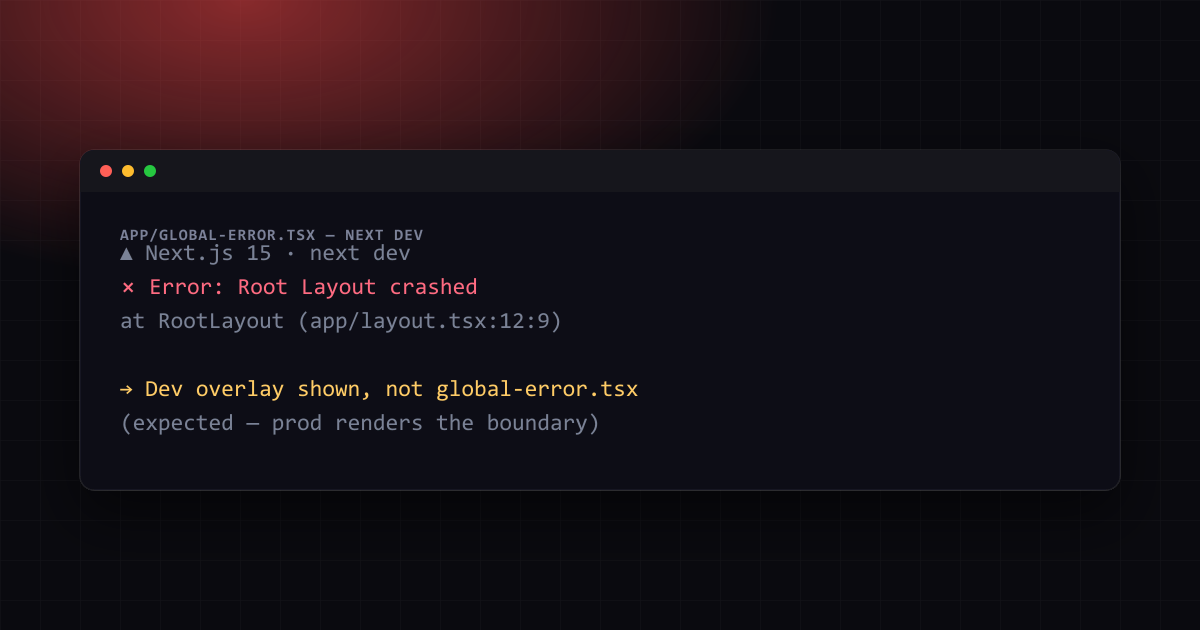

Why global-error.tsx Doesn't Fire in Next.js Dev Mode
A root layout error boundary that looks broken in development but works fine once deployed. The dev-overlay behavior behind it, and how to verify global-error.tsx before you ever hit production.
 Mahdi Ben Rhouma
TL;DR#
If app/global-error.tsx never renders while you're running next dev — you just see the red developer error overlay instead — this is documented, intentional behavior, not a broken error boundary. It is confirmed by a 35-reaction GitHub issue against Next.js that many teams open independently before finding out it's by design. Test the fix with next build && next start, not next dev.
The report that keeps getting filed#
The GitHub issue that best describes this is vercel/next.js#55462, "Root Layout Errors not triggering global-error.tsx in dev." The reproduction is simple: throw an error inside app/layout.tsx, run next dev, navigate to the page, and watch for the custom fallback UI defined in app/global-error.tsx. It never shows. Instead, the dev server's overlay — the full-screen red panel with the stack trace — takes over, and it stays that way no matter how the error boundary is written.
Thirty-five reactions on a single issue is a strong signal that this catches experienced teams off guard, not just newcomers. The pattern usually goes: write global-error.tsx in a hurry to satisfy a code-review comment about "handle Root Layout crashes," test it locally, see nothing happen, and file a bug report against Next.js itself before checking whether the framework behaves differently outside dev.
Why the overlay wins in development#
global-error.tsx is a special file that can only catch errors thrown by the Root Layout (app/layout.tsx) or Root Template — the one place a normal error.tsx cannot reach, because a segment's error.tsx boundary sits inside the layout it would need to wrap. Next.js's own documentation is explicit that in development, an error thrown in the Root Layout triggers the framework's error overlay instead of rendering global-error.tsx, specifically so you get the component stack, the exact file and line, and a link straight to your editor. A custom fallback UI would replace all of that with whatever <h1>Something went wrong</h1> markup you wrote — strictly worse for debugging the error you're actively causing.
This is not unique to global-error.tsx. The same suppression applies to ordinary error.tsx boundaries in development: Next.js's App Router documentation notes that in development, errors are additionally captured by the built-in overlay so you never lose the stack trace, even though the boundary is technically still mounted underneath it.
The real test: a production build#
Because the overlay is a next dev-only feature, the only way to see whether your global-error.tsx actually works is to build for production and run it:
next build
next start
Trigger the same error you were testing in app/layout.tsx. This time, no dev overlay exists to intercept it — global-error.tsx renders exactly as written, including whatever reset() button or Sentry/error-tracking call you wired into it. If it still doesn't render under next start, the bug is in your code, not in the framework's dev-mode behavior, and the checklist below narrows it down.
Three real bugs this can hide behind#
Because "test in production only" is inconvenient, it's worth ruling out the actual mistakes that produce the same symptom, since assuming "it's just the dev overlay" can mask a genuine bug:
1. global-error.tsx must define its own <html> and <body>#
Unlike every other error boundary, global-error.tsx replaces the Root Layout entirely when it activates — including the <html> tag. If you nest it inside another layout wrapper or forget the tags, the boundary can fail silently in production too:
// app/global-error.tsx
'use client'; // global-error.tsx must be a Client Component

export default function GlobalError({
  error,
  reset,
}: {
  error: Error & { digest?: string };
  reset: () => void;
}) {
  return (
    <html>
      <body>
        <h2>Something went wrong!</h2>
        <button onClick={() => reset()}>Try again</button>
      </body>
    </html>
  );
}
2. It only fires for errors in the Root Layout — not everywhere#
global-error.tsx is the boundary of last resort for the one segment nothing else can wrap: the Root Layout. An error thrown inside app/dashboard/page.tsx is caught by app/dashboard/error.tsx (or the nearest ancestor error.tsx), never by global-error.tsx. If you added global-error.tsx expecting it to catch a page-level error, add a regular error.tsx next to that page instead — that one does render its custom UI in development, since it isn't fighting the Root Layout special case.
3. Errors during rendering vs. errors in event handlers#
Error boundaries — error.tsx and global-error.tsx alike — only catch errors thrown during rendering, in lifecycle methods, or in constructors of the component tree below them. An error thrown inside a button onClick handler or inside a useEffect callback does not trigger any error boundary; it becomes an unhandled promise rejection or a console error instead. If your test case throws from an event handler, no boundary will ever catch it, in dev or production — that is standard React behavior, not a Next.js quirk.
Verifying you're actually fixed#
- Confirm
global-error.tsxlives atapp/global-error.tsx(or inside a route group at the root), defines<html>/<body>, and starts with'use client'. - Run
next build && next start, then trigger the Root Layout error again. The custom fallback UI must render — not the dev overlay, which does not exist in this mode. - Confirm the error genuinely originates during render (throw it directly in the layout body, not inside a handler) if you're using a synthetic test case.
- If you're wiring in error tracking (Sentry, etc.), call
reportError(error)insideglobal-error.tsxand confirm the event lands in your dashboard from the production build — dev-mode testing will never exercise this path.
Further reading: How to Change the Port in Next.js (and Fix EADDRINUSE), Next.js 16 Removed next lint: ESLint 9 Migration, Can't Import SVG in Next.js: Fix for Turbopack and Webpack.
Frequently Asked Questions
Still stuck? Paste your error.
Paste the error message or stack trace — we check it against every fix and tool on the site.


One email a month — the latest explained errors
What the site published that month — mostly Next.js, Supabase and Node errors, explained. You confirm by email; unsubscribe any time in one click.
Continue Reading
How to Change the Port in Next.js (dev and start)
Change the default Next.js port when it collides with another process, and know why next dev sometimes moves to 3001 on its own while next start crashes.
Fix 'Next.js 15 requires Node.js 18.18' Build Error
Next.js 15 drops support for older Node versions. Here is how to upgrade to Node.js 18.18.0 or later and fix build errors.
Can't Import SVG in Next.js: Fix for Turbopack and Webpack
Why <Logo /> fails with "Element type is invalid" or "Module parse failed", and the SVGR setups that build on Next.js 16 with both bundlers.