
Fix: Supabase redirectTo Ignored on Magic Link / Email Auth
Magic links and password-reset emails that always land on the production Site URL instead of the redirectTo you passed. The allow-list mechanism behind it, and the wildcard pattern for local dev and preview branches.

TL;DR#
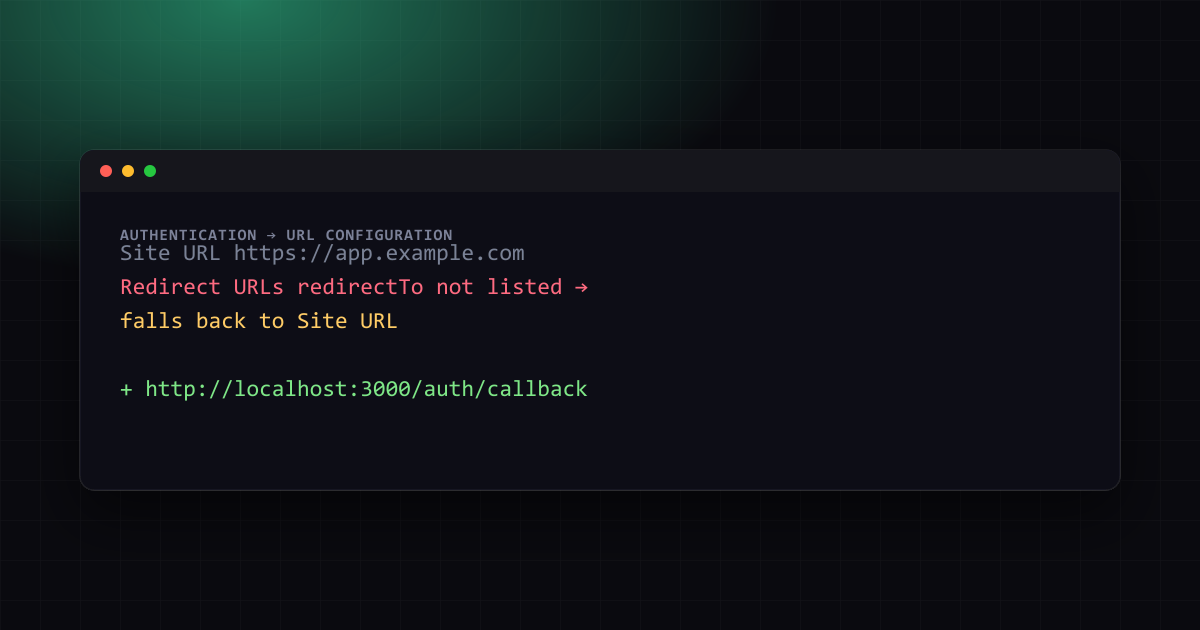
If redirectTo on signInWithOtp(), signInWithPassword() with a magic link, or resetPasswordForEmail() keeps sending users to your production Site URL instead of the URL you actually passed, the cause is Supabase's Redirect URLs allow list in Authentication settings — redirectTo is silently ignored, not erroring, when the URL isn't on that list. Add the exact URL (or a wildcard pattern) and the parameter starts working immediately, no code change required.
The bug report that's really a config gap#
supabase/supabase#4540, "redirectTo not being respected when using email or magic link auth," is a recurring report: a developer passes redirectTo explicitly, the email sends fine, but clicking the link always lands on the production Site URL — often losing whatever next=/dashboard or session-continuation logic the redirect was supposed to carry.
// looks correct — and the parameter genuinely is correct
const { error } = await supabase.auth.signInWithOtp({
  email,
  options: {
    redirectTo: 'http://localhost:3000/auth/callback',
  },
});
The code above is not the bug. The email template does receive {{ .RedirectTo }} and Supabase does attempt to honor it — but only after checking it against a list your project maintains separately from your code.
Why Supabase does this#
redirectTo accepts an arbitrary URL string, and openly redirecting an authenticated session to any URL a request supplies is a classic open redirect vulnerability — an attacker could construct a legitimate-looking magic-link email whose redirectTo points to a phishing domain instead of your app. Supabase's allow list exists specifically to close that hole: every redirectTo value is checked against Authentication → URL Configuration → Redirect URLs in the dashboard, and a value that isn't on the list is silently replaced with the project's Site URL rather than causing an error — which is exactly what makes this look like a bug in your code instead of a one-line dashboard setting.
The fix: add every redirect URL you actually use#
In the Supabase dashboard, under Authentication → URL Configuration:
- Site URL — your canonical production URL (e.g.
https://app.example.com). This is also the fallback used whenever aredirectTofails the allow-list check. - Redirect URLs — every additional exact URL (or wildcard pattern) your app needs to redirect to after auth.
# Redirect URLs — one entry per line
http://localhost:3000/auth/callback
https://app.example.com/auth/callback
https://staging.example.com/auth/callback
The match is against the full URL, not just the domain — http://localhost:3000 in the allow list does not also permit http://localhost:3000/auth/callback; add the exact path your app redirects to, or use a wildcard.
Wildcards for preview deployments#
Vercel, Cloudflare Pages, and Netlify all generate a unique URL per preview deployment, which makes listing exact URLs impractical. Supabase's Redirect URLs support wildcard patterns for exactly this case:
https://*-your-project.vercel.app/*** matches one path/subdomain segment, ** matches any number of segments — the pattern above covers every Vercel preview URL for the project without adding one entry per branch. The same approach works for any platform whose preview URLs follow a consistent subdomain pattern.
Matching this on the code side (Next.js App Router)#
The redirect target itself needs to be resolved from the current request's origin, not hardcoded, or local development and preview deployments will keep generating URLs that were never added to the allow list in the first place:
// app/auth/actions.ts
'use server';
import { createClient } from '@/lib/supabase/server';
import { headers } from 'next/headers';

export async function sendMagicLink(email: string) {
  const supabase = await createClient();
  const origin = (await headers()).get('origin');

  const { error } = await supabase.auth.signInWithOtp({
    email,
    options: {
      emailRedirectTo: `${origin}/auth/callback`,
    },
  });

  return { error: error?.message ?? null };
}
Using the request's own origin means the exact URL sent to Supabase always matches one of the environments (localhost, preview, production) you configured in the allow list — there is no separate hardcoded constant to fall out of sync when a new preview domain appears.
Verifying the fix#
- In the dashboard, confirm the exact URL your code sends — log
emailRedirectTo/redirectToright before the call — is present in Redirect URLs, path included. - Request a fresh magic link (old emails were generated against the old, unresolved redirect) and click it; it should land on your intended URL, not the Site URL.
- If it still falls back, check for a trailing slash mismatch —
https://app.example.com/auth/callback/andhttps://app.example.com/auth/callbackare different strings to the allow-list matcher.
One email a month — the latest explained errors
What the site published that month — mostly Next.js, Supabase and Node errors, explained. You confirm by email; unsubscribe any time in one click.
Landed on the right URL but still logged out#
Fixing the allow list gets the browser to the correct URL, but Supabase's default auth
flow (PKCE) sends a one-time code query parameter to that URL — the redirect itself does
not create a session. If the callback route just renders a page without reading that code,
the user reaches /auth/callback looking successful, then bounces back to a login screen
the moment anything checks auth.getUser(), which is a different symptom from the
allow-list fallback covered above and easy to mistake for it recurring.
The callback route needs to explicitly exchange the code for a session before redirecting onward:
// app/auth/callback/route.ts
import { NextResponse } from 'next/server';
import { createClient } from '@/lib/supabase/server';

export async function GET(request: Request) {
  const { searchParams, origin } = new URL(request.url);
  const code = searchParams.get('code');
  const next = searchParams.get('next') ?? '/';

  if (code) {
    const supabase = await createClient();
    const { error } = await supabase.auth.exchangeCodeForSession(code);
    if (!error) {
      return NextResponse.redirect(`${origin}${next}`);
    }
  }

  return NextResponse.redirect(`${origin}/auth/auth-code-error`);
}
Two details that trip this up specifically after the redirect-URL fix: the redirectTo /
emailRedirectTo value must point at this route (/auth/callback), not directly at the
page the user should land on afterward — the next param is how the final destination
survives the round trip — and exchangeCodeForSession must run in a server context that
can set cookies (a Route Handler or Server Action), since the session is stored in
cookies the browser needs back on the response. Once the session itself exists, keeping it
alive across requests and catching a missing session before it causes a confusing
downstream error is covered in
Supabase AuthSessionMissingError in Middleware: 5 Fixes.
Further reading: Supabase Auth Session Disappears on Refresh? Fix (2026), Supabase redirectTo Failing on Vercel Previews: SITE_URL Fix. Also see Better Auth vs Supabase Auth 2026: Honest Verdict.
Frequently Asked Questions
Still stuck? Paste your error.
Paste the error message or stack trace — we check it against every fix and tool on the site.


Continue Reading
Supabase Auth Session Disappears on Refresh? Fix (2026)
Supabase auth sessions mysteriously disappearing after page refresh? Learn the exact cause and fix it in 5 minutes with this tested solution.
Supabase getClaims() vs getSession(): The Silent Auth Bug
Your auth looks correct but users can bypass it. The bug: getSession() in server code reads from local storage without revalidating the token against the Auth server.
Supabase "Error sending confirmation email" (500): 5 fixes
Email confirmations not sending from Supabase? Learn the exact causes and fixes for SMTP, template, and configuration issues in 10 minutes.